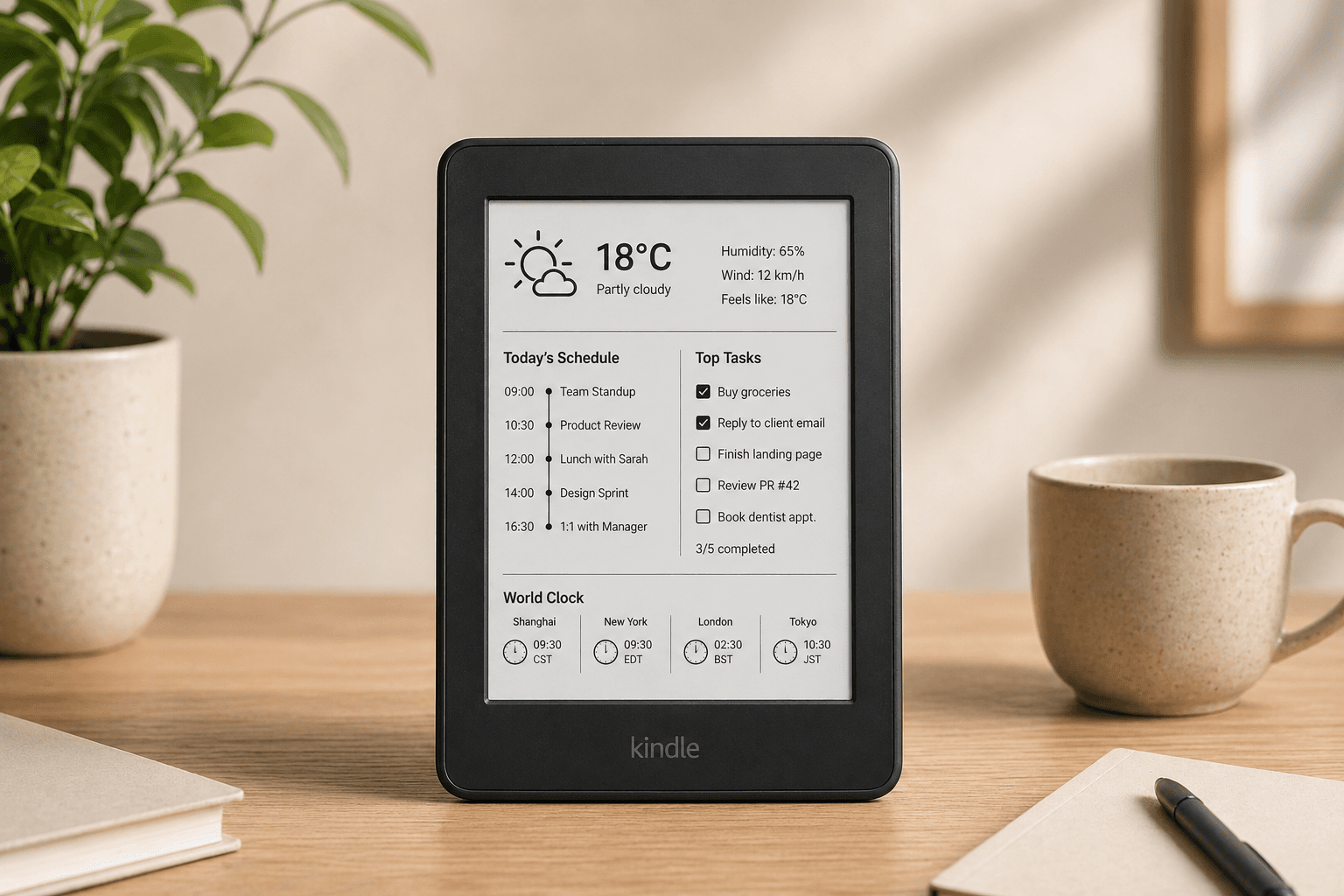
Turn Your Old Kindle Into a Beautiful, Always-On Dashboard
No jailbreak required. No coding needed. Display your Calendar, Weather, Todoist, and more on your unused E-ink screen in under 3 minutes.

From dusty drawer to smart display in 3 steps
How It Works
Design your view
Pick your widgets — weather, calendar, Todoist, clock — and arrange them on our drag-and-drop editor.
Get your Magic Link
We generate a unique URL tied to your dashboard. No login needed on the Kindle side.
Type it in your Kindle
Open the link in your Kindle's built-in browser. It auto-refreshes every 5 minutes. Done.
Everything you need at a glance. Zero distractions.
Dashboard Widgets
All the information that matters, rendered perfectly for your E-ink display.
Everything you need at a glance. Zero distractions.
All the information that matters, rendered perfectly for your E-ink display.

Why not just build it yourself?
No Raspberry Pi. No Python. No Jailbreak.
DIY Kindle dashboards require a Raspberry Pi, Python scripts, jailbreaking your device, and hours of debugging. We handle all of that so you don't have to.
Why not just build it yourself?
DIY Kindle dashboards require a Raspberry Pi, Python scripts, jailbreaking your device, and hours of debugging. We handle all of that so you don't have to.
- Zero jailbreak — works on stock Kindle firmware
- No Raspberry Pi or local server required
- Cloud-rendered images, never crashes your Kindle
- Setup in under 3 minutes, not 3 weekends


Stop letting good hardware go to waste.
Join the waitlist and be the first to transform your old Kindle into a beautiful ambient display.
FAQ
Frequently Asked Questions
Be the first to know
Early Access Waitlist
We're building EinkDashboard. Join the waitlist and get early access when we launch.